How to Use the Crypto Com App for Fees, Card, Staking, and Taxes

How to Use the Crypto Com App for Fees, Card, Staking, and Taxes
The crypto com app is easy to understand and easy to misuse. It puts an exchange, wallet, card, staking, DeFi wallet, NFT market, payments, and credit under one roof. That is handy if you like one login and a long list of tools. It is crowded if you just want to buy Bitcoin and know what you paid. My read is simple: the app can save steps, but every extra feature adds fees, lockups, access rules, and market risk.

Crypto.com began in 2016 as a centralized cryptocurrency exchange and is based in Singapore. The supplied material says it has reached more than 100 countries, supports dozens of local currencies and payment methods, and holds licenses in several jurisdictions. None of that makes the service the same everywhere. The main app, Exchange App, card, earn tools, and other products can have separate rules. Check the exact product in front of you, not just the logo on your phone.
Crypto.com Full Beginner Walkthrough: Account to Alerts
What the Crypto Com App Does
At heart, the app lets you hold money and crypto, trade tokens, and see your transaction history. The supplied catalog includes Bitcoin, Ethereum, XRP, stablecoins, DeFi assets, and smaller or newer tokens. The wider menu also covers cards, staking, NFTs, lending, and payments. More choice can help, but each choice comes with its own terms.
Main parts of the app
- Buy, sell, and trade a broad catalog of cryptocurrencies.
- View cash balances, crypto balances, transaction records, and card details.
- Lock supported coins in staking or earn programs.
- Use CRO for card access, rewards, VIP levels, and possible fee cuts.
- Reach a DeFi wallet, NFT marketplace, lending, and Crypto Credit products.
- Send crypto to an external self-custody wallet where that service is offered.
Its services are not uniform worldwide.
The app's density cuts both ways. A first-time buyer may find more buttons and terms than needed, while a trader may like the charts, token search, and staking tools. The source also points out that a niche coin may be easier to find on Crypto.com than on a simpler exchange. That can be worth the extra study. It can also tempt you to trade something you have not taken time to understand.
Who the Crypto Com App Fits
The source presents Crypto.com as a better fit for people who want lower reported fees, broad international access, cards, DeFi, and earn programs. Coinbase is presented as easier for first-time crypto buyers in the United States because its standard screen uses fewer terms and order types. If your search is for the best apps for crypto trading , I would sort apps by the job you need, not by the size of the menu. The crypto com app fits active users better than quick buyers. Coinbase may fit a simple first purchase better. Both platforms use central custody, both offer cards and rewards, and both carry market risk. The source also says Coinbase has more U.S. reporting oversight as a public company, while Crypto.com uses several layers of account security. Neither fact turns deposits into money you personally hold.
How to Buy Crypto in the App
How to buy crypto on the crypto com app starts with an account and any required identity checks. From there, open the crypto section, choose an asset, enter an amount, review the quote, and confirm the purchase. The app has also offered a One Time Buy option for quick purchases. That route is easy, but it may cost more than an order placed through the Exchange App. The buying screen is only half the trade. Your payment method and order type decide much of the final price.
What to check before you buy
- Separate the trading fee from the spread in the quote.
- Confirm that the coin and product are offered where you live.
- Check any debit or credit card top-up fee.
- Find out whether you have access to the order book.
- Save the purchase date, amount, price, fees, and crypto received.
Asset access is not identical in every jurisdiction.
Many buyers ask about buy crypto with debit card . Some want to buy crypto with debit card instantly , and speed has real value. Before you ask whether a crypto exchange accepts credit card , check your country, the payment fee, and the app balance that must fund the purchase. A card button may not work like a direct bank payment. It can draw from an app balance and carry a top-up charge. The speed is convenience. It is not proof of a better price.
Fees, Spreads, and the Price of Convenience
One source fee table puts Crypto.com's reported range at 0% to 0.5%, based on trading volume, CRO holdings, and VIP status. Its example gave a trader under $2,000 in monthly volume a maker fee of about 0.075%. It also described a zero fee at 50,000 staked CRO and a small rebate above five million CRO. These figures are source snapshots, not promises. The same comparison put Coinbase's card purchases at up to 3.99% and its maker-taker range at 0.10% to 0.60%. The type of trade matters as much as the platform.
Under that comparison, paying the premium to receive a $10 TIA campaign reward reduced rather than improved the result.
A Celestia example shows why the headline fee is not enough. One $1,000 One Time Buy purchase received about 66.39 TIA. A matching order-book quote would have produced 2.57 more TIA, worth nearly $30 at the time. The source called the difference an approximate 3.7% premium, or $30.70 before fees. For the crypto com app, check the spread, the fee, and any reward together. A ten-dollar gift does not repair a higher purchase price.
Crypto.com 2026 Beginner Guide: Buy and Sell Bitcoin
Why Order-Book Access Changes the Math
The main app handles quick purchases, while the separate Exchange App adds market orders, limit orders, charting, and an order book. An order book is the list of prices buyers and sellers are using. It can give you more control over the price you pay. The source flags that Exchange App access has been blocked in more than 100 countries, including the United States, while other source passages describe broader Crypto.com use. That clash may reflect different products, legal entities, or time periods. One brand does not mean one product.
Quick buy versus order-book trading
- Quick buy is easier and can show a price right away.
- A quick quote can carry a wider spread before trading fees.
- A market order fills at the best prices shown on the book.
- A limit order lets you name the highest price you will pay.
As an Android crypto app , the crypto com app gives chart settings and trade controls to people who like to dig in. A crypto currency trading app should still show you the order type, fee, and expected amount before you confirm. If you only plan a few simple buys, learn the quote screen first. If you trade often, access to the order book may matter more than the app's main screen.
Trading Promotions and Mystery Boxes
A historical Celestia contest offered a $10,000 prize pool in TIA. The top 1,000 traders were each listed for $10 of TIA, but the reward came with several gates. The source lists a minimum $50 in TIA trades, a Junior Trader Badge, more than $1,000 in earlier eligible activity, and a ban on stablecoin swaps. A promotion can look generous while quietly asking for more trading than the reward is worth.
Celestia contest terms in the source
- Trade at least $50 of TIA during the contest period.
- Hold a Junior Trader Badge.
- Build more than $1,000 in cumulative eligible trading activity.
- Use eligible non-stablecoin swaps.
- Meet each badge rule before the trade is counted.
- Watch for extra instructions on the promotion page.
Crypto.com has also used Mystery Boxes tied to diamonds earned through app activity. The source says a box could open for every 25 diamonds, with bronze, silver, and gold versions paying different amounts of CRO. One promotion analysis estimated only five to six CRO per box and nearly 400 CRO needed to approach break-even, while another comparison assumed about 50 CRO per box. Its conclusion was blunt: the box reward did not cancel out the quick-buy premium. Read every condition before trading.
Staking, Earning, and CRO
Staking and earn programs lock CRO or other supported assets for a set period in exchange for rewards. The return can change with the asset, network, lock time, amount, and CRO holdings. One source comparison reported an average near 1% across Crypto.com returns and a high of 19.07% for some programs, while Coinbase said certain assets could reach 15%. Those are reported snapshots, not guarantees. A high headline rate means little if the coin price falls or the funds are locked when you need them.
What CRO has been used for
- Possible reductions in trading fees
- VIP levels and account benefits
- Access to card reward tiers
- Card cashback and platform rewards
- Mystery Boxes and other promotions
- Qualification for higher service fees and limits
A reward advertised in CRO does not have a fixed fiat value.
Crypto Earn launched in May 2019 with a then-advertised rate of up to 8% for BTC, PAX, and TUSD. That is a historical product example, not a live rate to assume. Service fees may be taken from rewards, and program names and lock rules can change. One user account also described seven-day withdrawal settlement periods for CRO. That was not a platform-wide finding, but it shows why a high reward can come with less access to the money.
The Crypto.com Card and CRO Cashback

The source uses both credit card and debit card for Crypto.com cards. One comparison calls the Visa Signature a credit card with a flat 4.5% reward. A UK account calls the Cashback Visa a debit card linked to a funded app balance. These may be different cards, countries, or product periods. I would not treat the two labels as the same thing without reading the terms attached to your card.
How to apply for a Crypto.com card
- Download the Crypto.com app.
- Complete the required identity check.
- Open the Card page.
- Choose the card tier shown for your region.
- Stake the required CRO for a reward tier, if asked.
- Use the virtual card linked to the app after approval.
- Request a physical card from the card dashboard if desired.
Cashback is paid in CRO, not dollars or pounds. In the UK account's example, a £50 purchase with 1% cashback produced 50 pence worth of CRO. That value rises or falls with CRO. The account said tax payments, currency purchases, and loan payments did not earn cashback, while travel, groceries, petrol, and household goods often did. One comparison also said a card could not spend the crypto balance directly, while the UK account described purchases as funded from the app balance. That difference matters at checkout. Read the funding rule, not just the reward rate.
Topping Up and Using the Card
The UK account said bank transfers were free, while debit or credit card top-ups carried a 1% fee for users in the United Kingdom and European Union. Those were account-specific findings, not a worldwide rate card. The user also said a top-up could not be reversed to the linked bank account after it entered the Crypto.com account. The sensible move is to load only what you expect to use and keep the rest elsewhere.
Card checks before you tap to pay
- Read the top-up fee for your country and payment method.
- Check which purchases earn cashback.
- Learn the ATM limit and withdrawal fee.
- Compare the card's foreign exchange rate before a trip.
- See how much CRO must stay locked for the tier.
The same account reported no separate overseas transaction fee and used network exchange rates. In one personal trip to Romania, a £32.34 Mastercard conversion and a £32.35 Crypto.com conversion differed by one penny. That was one test, not a lifetime promise, because Visa and Mastercard rates can change by place and currency. When you compare a debit card for crypto , look at the funding source, foreign costs, reward exclusions, and CRO lock together. The cashback rate is only one line in the bill.
Security and Centralized Custody
The cited Crypto.com safeguards include cold storage, insurance policies, multi-factor authentication, withdrawal protections, Zero Trust practices, least-privilege access, and extra identity checks. It also places fiat balances with FDIC-insured network banks. In 2022, several hundred accounts were affected by a security incident; the platform reportedly repaid affected users and upgraded its security. Good safeguards matter, but they do not change the basic custody model. Your crypto remains in a system run by the exchange.
Practical account and card safety steps
- Turn on two-factor authentication.
- Watch account and card activity in the app.
- Keep only the cash you need for card spending in the app.
- Check withdrawal requests and network details twice.
- Keep long-term holdings in self-custody when that setup is practical.
A centralized Crypto.com account is easier to use but relies on the platform for custody and withdrawal access.
Think of an exchange balance as cash held at a platform, not cash in your pocket. The app makes trading, card use, and records easier, but it also makes the platform part of your access to the funds. Keeping some assets on a centralized exchange can be fine for short use. Keeping the whole long-term balance there adds a single point of failure that you cannot control.
How to Buy and Sell Crypto on Crypto.com App
Payments, Credit, NFTs, and DeFi
Pay Your Friends was launched in 2019 as a way to send crypto directly to another verified user. The historical feature had no direct fee and offered rewards for bringing in new users. It was not anonymous: Crypto.com required a photo ID and selfie. The source treats Pay Your Friends as a past feature, so check your own app before counting on it. Historical launch details are useful for understanding the platform, but not for assuming a product still works the same way.
Other products described in the source
- A self-custody-style DeFi wallet inside the app
- An NFT marketplace
- Crypto-backed credit and borrowing
- Other lending products
- Transfers to supported outside wallets
- The historical Pay Your Friends payment feature
Crypto Credit and Crypto Earn also launched in May 2019. The old credit product used crypto as collateral, while the earn product paid interest on supported coins. Its reported terms included no fixed repayment date, but those historical terms should not be treated like a present loan contract. The wider lesson is simple: the crypto com app can put traditional money tools beside DeFi and digital assets, but each tool has a different risk, fee, and legal treatment. More products do not mean one shared rule.
Moving Crypto to MEW Mobile
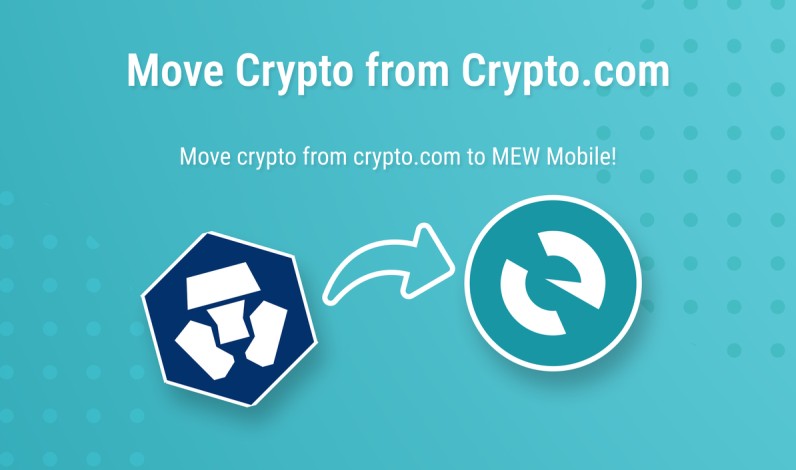
The source's MEW guide gives a clear reason for moving crypto from a centralized exchange: it can reduce your dependence on that exchange. MEW Mobile is a self-custody wallet, so you hold the recovery information and control the withdrawal. That freedom also means you carry the responsibility. Create or download the wallet, protect its recovery details, and open the token before you start the withdrawal. If the networks do not match, the funds can fail to appear.
Moving crypto from Crypto.com to MEW Mobile
- Create or download MEW Mobile and protect its recovery information.
- Open the token in MEW and check its supported network.
- In Crypto.com, open Accounts and select Crypto.
- Choose the coin you want to send.
- Select Withdraw and External Wallet.
- Add the MEW wallet address with a clear destination name.
- Check the network, address, and amount before confirming.
- Enter the passcode and two-factor code if enabled.
A mismatched network can prevent a transfer from appearing in the destination wallet.
The website route starts with Accounts, then Crypto wallet, the coin menu, and Withdraw. You then choose the saved MEW address, enter the amount, and confirm the network again. The source says processing can take several minutes or longer, depending on the network. Treat the wallet address like a bank account number: copy it exactly, check the first and last characters, and make sure the network on both sides agrees. Crypto does not care that a wrong address looked right on screen.
Crypto.com Taxes and U.S. Records
The supplied U.S. tax guide does not describe a built-in Crypto.com tax filing tool. It tells users to record transactions and shows a CSV or API import into CoinTracking. Tax treatment depends on where you live. Under the guide, buying crypto and holding it in a wallet was not by itself a taxable event. Selling for cash, trading one crypto for another, and certain NFT sales were treated as capital-gain or capital-loss events.
U.S. treatment described in the source guide
- Trading crypto for cash or another crypto: capital gain or loss.
- Buying and selling NFTs on the marketplace: capital gain or loss.
- Creating and selling an NFT: ordinary creator income.
- Receiving staking interest or earn rewards: ordinary income when received.
- Spending crypto through a card: a disposal and possible capital gain or loss.
- Receiving card cashback in crypto: no taxable income at receipt under the guide, with a recorded starting basis.
- Receiving a Crypto.com loan: no taxable event at receipt under the guide.
Receiving a crypto card rebate was described as non-taxable income at receipt, with a recorded basis.
The guide's card example bought one ETH for $2,000, valued it at $3,000, and used about 0.033 ETH to pay for a $100 purchase. It treated the ETH as sold for $100 and calculated a $33.33 gain. That is an example of the math, not a promise about your result. The guide was written in 2022, and tax rules change. Check your records and the cost basis for rewards, card rebates, loans, and trades, and ask a qualified tax professional about your own situation.
Importing Crypto.com Trades Into CoinTracking
The source says Crypto.com transaction data can be imported into CoinTracking by CSV or API. CoinTracking can then track gains and losses, sort income, and build reports under different accounting methods. That makes the tax work separate from the exchange itself. Crypto.com holds the accounts and records. CoinTracking helps make sense of the numbers. The tax filing step still depends on your country and your own records.
What the CoinTracking workflow can track
- Crypto.com trades imported by CSV or API
- Capital gains under FIFO, LIFO, ACB, HMRC, and other methods
- NFT, DeFi, staking, and other income records
- Portfolio activity across exchanges, wallets, and smart contracts
- Country-specific reports and detailed gain or loss reports
- Review of imported data before a tax return is prepared
My clean workflow is plain: export the records, check deposits, withdrawals, transfers, swaps, rewards, card rebates, and fees, then review the report before filing. Keep the original Crypto.com data and the tax software file. If one row is wrong, you want to find it before it becomes a tax problem. The source's tax material was general information, not personal tax advice. A clean record gives you something useful to hand to a tax pro.


Comments on “How to Use the Crypto Com App for Fees, Card, Staking, and Taxes”
No comments yet. Be the first to share your thoughts.