How to Use Blockchain Wallet QR Codes for Secure Payments and More
How to Use Blockchain Wallet QR Codes for Secure Payments
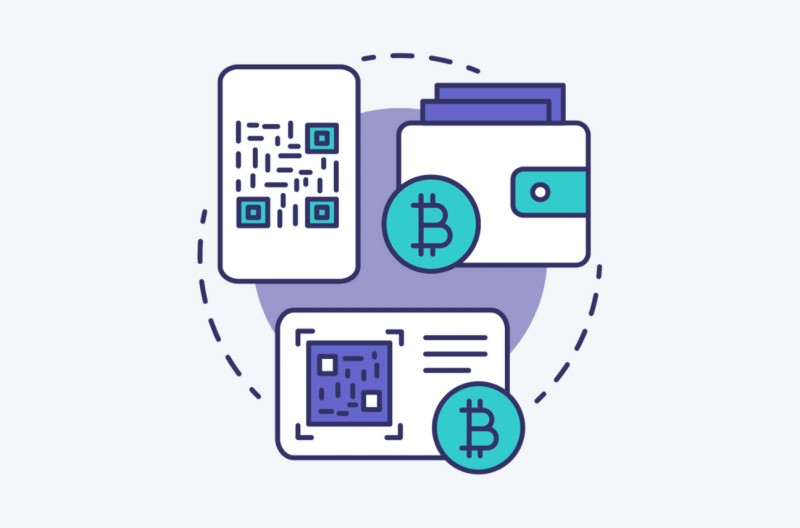
A blockchain wallet QR code is not a vault. It is machine-readable data in a square. It can hold a public receiving address, a merchant payment request, a WalletConnect pairing request, an NFT claim link, a credential presentation, or a blockchain reference. A wallet may then ask you to send funds, approve a connection, sign a message, or open a claim. A scan can start an action, not merely show a picture.
What a blockchain wallet QR code can carry
- A public receiving address or public key
- A merchant request with an amount, token, network, or order number
- A WalletConnect request for pairing a wallet with an app
- An NFT claim link or single-use distribution code
- A digital identity or credential presentation
- A blockchain transaction or account reference
The square is the envelope, not the money itself. I find the cleanest way to sort these codes is by action: receive, pay, connect, claim, or prove. For Blockchain wallets , a QR code is a handle or request, while the keys stay under separate control. If the action on your wallet screen does not match the code you expected, stop.
Binance Pay QR Codes: Login, Send, Receive
Wallet Addresses, Public Keys, and Private Keys
If you are asking what a wallet address means in crypto , think of it as a labeled location on a blockchain ledger. In the SecuX model described in the source, buying cryptocurrency does not put physical cash in your hand. The crypto remains on the blockchain, while the owner receives a wallet address, public key, and private key.
The parts of a crypto wallet
- The wallet address identifies a location and the holdings tied to it.
- The public key or address can be shared so someone can send funds.
- The private key gives control over outgoing transactions.
- A recovery phrase can restore the keys on another wallet.
- A receiving QR code presents public information, not the private key.
If a private key is lost or exposed, the owner may lose the assets permanently.
That split is the whole security ballgame. You can show someone your public address. You do not show them your private key or recovery phrase. The SecuX source also says advanced cryptography keeps outsiders from tying the address and keys back to the owner. That privacy claim does not change the payment rule: whoever has the private key can control the funds.
Software Wallets, Hardware Wallets, and Exchanges
Not every crypto account gives you the same control. Cryptocurrency wallet software runs on a phone or computer and keeps keys online. A hardware wallet is designed to keep private keys offline until you connect the device. An exchange may hold the keys for you. Each choice puts control in a different place.
Where the private key lives
- Software wallets are easy to reach but may be exposed to hacking.
- Hardware wallets keep private keys offline until a transaction is approved.
- Exchange accounts are custodial because the exchange holds the keys.
- A companion app can control hardware while the keys remain inside the device.
That makes a wallet for crypto currency more than one kind of product. A wallet app for cryptocurrency may be friendly without holding the keys itself. The key question is simple: who can sign, where do the keys live, and what happens if that place is hacked?
Receiving Crypto with a Wallet QR Code
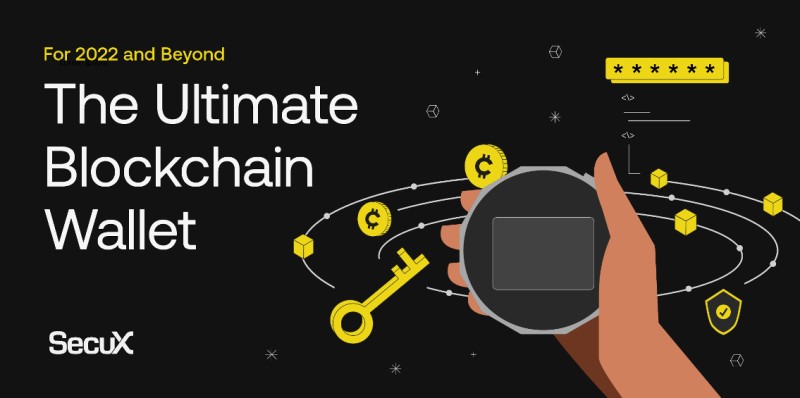
A receiving-address code has one main job: tell the sender where to send funds. SecuX describes a three-step flow. The wallet creates a receiving address, the address is shared as a QR code, and the owner checks the wallet balance after the payment arrives. The address can be made offline on the hardware or through a connected app.
A basic receiving flow
- Open the wallet’s receive or receiving-address screen.
- Check the public address shown with the expected network.
- Share the QR code with the person or app sending funds.
- Let the sending wallet prepare the transfer.
- Check the wallet balance and transaction record after arrival.
The receiving-address code is public. It is not a private key.
This is a blockchain wallet QR code at its simplest. It gives the payer a public destination. It does not move money by itself and does not give the payer control of your wallet. The eXo Wallet example works the same way: selecting Receive shows the public key and its QR code, while the private key stays separate.
What a Blockchain Payment Request Can Add
A merchant payment request carries more than a bare address. It can tell the buyer what the merchant expects to receive. The request may name the token, blockchain network, amount, order, and merchant wallet. That makes it useful for a purchase, but it also means more details need checking before money moves.
What a merchant payment request may include
- A request ID and merchant details
- An order number, description, and amount
- An accepted token, such as USDC
- Allowed networks, such as Polygon or Solana
- The merchant’s wallet addresses
- A notification endpoint and a merchant signature
The source’s example asks for $20 in USDC for order #4123. The buyer can compare the token, network, amount, and destination before approving it. A sale works in the other direction: the sender checks what token and network the buyer expects, then checks the receiving address. A signed request can support the claim that the merchant issued those terms, but the buyer still has to read them.
Crypto Wallets Explained: Hot vs Cold Storage
Why a Transaction Hash Is Not a Receipt
A blockchain can prove that value moved from wallet A to wallet B. It does not record why the transfer happened. The ledger may not name a restaurant, order number, cashier, burger, or any other product. A transaction hash proves movement, not the full deal around that movement.
What a transaction hash shows
- Value left one wallet address
- Value arrived at another wallet address
- The token and network can be identified
- The transfer has a blockchain record that cannot be quietly changed
- The order and merchant are usually absent
- The product or service is not recorded by the chain itself
A blockchain transaction hash alone does not prove what was purchased.
That gap leaves room for a merchant to say, “That was not my address” or “That payment was not for your order.” A card receipt or cash receipt normally ties payment to the sale. A blockchain hash often gives only the financial half. The missing half has to come from signed messages, order records, or both.
The X9.150 Payment and Proof Flow
The source presents X9.150 as a proposed QR code standard from X9, the U.S. financial-services standards group. Its job is to link a real-world agreement to a blockchain transaction. Signed messages join an order kept outside the blockchain to a transaction hash kept on the blockchain. The design is called DvP-by-Attestation, meaning the payment is tied to a signed statement about what was agreed.
The four stages in the X9.150 flow
- The merchant signs a payment request called sig_M1 with the order, amount, token, network, address, and other terms.
- The buyer signs a pre-commit message called sig_B1 that states the intended payment before sending funds.
- The buyer sends the on-chain payment, which creates a transaction hash, after the merchant accepts the stated terms.
- The buyer signs a post-commit message called sig_B2 that links the transaction hash to the earlier request and intent.
The hash proves movement. The signed messages connect that movement to the deal.
The merchant can check the payer’s address, amount, token, chain, and destination before settlement. The proposal says this can reduce duplicate payments, block payments from addresses on sanctions lists, and lower the risk of sending funds to the wrong place. The post-commit message then gives both sides a record that joins the order, the buyer’s intent, and the payment.
WalletConnect Pairing Codes
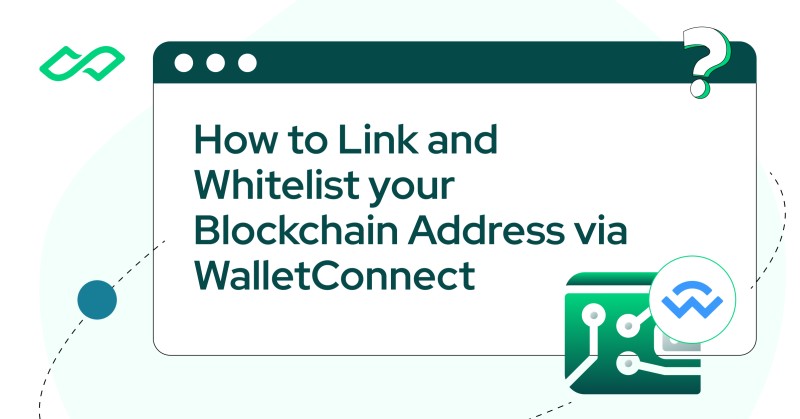
A WalletConnect QR code has a different job from a payment code. It proposes a connection between a mobile wallet, browser extension, and app. The user scans a unique code and then reviews a connection request in the wallet. The pairing code is temporary connection data. It is not a private key or recovery phrase.
A WalletConnect address-linking flow
- Open the app’s blockchain address or wallet-linking page.
- Choose WalletConnect as the provider.
- Select the network to use.
- Scan the unique QR code with a compatible wallet.
- Review and approve the connection request.
- Complete the app’s verification signature and check the result.
The StraitsX example uses this flow to link and verify a wallet address. A later signature marks the address as verified across several networks, which can raise transfer limits and allow incoming assets to be credited without a test payment. Read every connection and signature request. A code that asks to connect should not quietly turn into a request to send funds.
NFT Claim Codes and Enjin Beam
Enjin Beam uses a QR code to open an NFT claim, not to sign a normal payment. A user can scan the Beam with Enjin Wallet, open its link and select Claim, or save the code through email for later. The same code can be placed inside a physical product so the first person to open it controls the claim.
Ways to handle an Enjin Beam claim
- Scan the Beam directly in Enjin Wallet.
- Open the Beam URL and select the claim option.
- Save the QR code through email for later use.
- Use Quick Wallet and an email claim when no app is installed.
- Transfer the claimed NFT into a permanent wallet later.
A claim code can open an NFT claim. It should never come with a request for your seed phrase.
Quick Wallet uses centrally managed virtual wallets for the first claim. That lowers the setup barrier, but it also means the initial NFT is not yet under the same direct control as an NFT moved into a self-held wallet. The source’s comic-book example hides a single-use code inside the product, which keeps an eager scanner from claiming it before the buyer opens the package.
Mobile Identity and Credential QR Codes
A blockchain QR code can present identity instead of money. South Korea’s mobile driver’s license service stores sensitive license details in the phone’s secure area. Only a license hash is placed on the shared ledger. When a verifier scans the user’s QR code or barcode, the system compares proofs without putting the full license record on the blockchain.
How the mobile license flow works
- The user installs and opens the PASS application.
- The user logs in and completes password or fingerprint authentication.
- The app scans the physical license and uses OCR to read it.
- A certification authority checks whether the document is valid.
- Sensitive license data stays encrypted on the phone.
- A hash based on the license, phone number, and device ID is stored for comparison.
- The user presents a QR code or barcode, and the verifier checks its proof and public key.
The scan presents proof of a credential; it does not expose every stored detail. The same model can support academic degrees, diplomas, licenses, and identity records. A verifier can ask for the one fact needed for the check instead of receiving a full copy of the document. That is the main difference between a credential presentation and a crypto payment.
Scanning Blockchain QR Codes: Camera Walkthrough
Holder, Issuer, and Verifier Wallets
The eIDAS 2.0 material in the source treats a digital wallet as a place to hold and present verifiable records. Examples include payment cards, loyalty points, diplomas, degrees, transcripts, certificates, and professional licenses. The European Blockchain Services Infrastructure model divides the work among three roles: the holder, the issuer, and the verifier.
The three wallet roles
- The holder requests credentials, receives them, and controls the wallet.
- The issuer, such as a university or agency, creates and manages a credential.
- The verifier checks the credential and the holder’s right to present it.
- The wallet can hold several credentials in one place.
- A QR code or link lets the holder present only what a check requires.
DoxyChain gives each student a wallet when a certificate is issued. The source says the student can keep the credential after the university changes its email address or even closes. Students can also add diplomas from other schools. For a job, enrollment, or government service, the student shares a QR code or link, and the employer or agency checks the record.
Choosing a Beginner Crypto Wallet
If you are searching for how to get a wallet for cryptocurrency , do not start with a long list of supported coins. Start with control. Ask who holds the keys, how you back them up, and what the wallet shows before you sign. Then check which networks and assets you actually need.
Questions to ask before choosing a wallet
- Do I hold the private key, or does an exchange or service hold it?
- Can I restore the wallet from a backup or recovery phrase?
- Are software keys online, or are hardware keys isolated?
- Does the wallet support the networks and tokens I need?
- Does it show clear warnings for deletion, signing, and transfers?
- What support exists if the device, app, or account fails?
There is no single best beginner crypto wallet for every person. Software is easy to reach. Hardware puts keys in a separate device. An exchange may be simple but holds the keys for you. If the wallets definition gets fuzzy, return to one test: who controls the money?
Checks Before You Scan or Sign
Before scanning a blockchain wallet QR code, stop and ask what action it requests. A receiving code should not ask for a payment. A connection code should not ask for a recovery phrase. A payment request should make its amount, token, network, order, and destination clear. The wallet screen is the last place to catch a mismatch.
A quick QR code safety check
- Confirm that you opened the expected app or wallet flow.
- Decide whether the code receives, pays, connects, claims, or verifies.
- Check the blockchain network and token.
- Check the amount, order number, and description.
- Compare the destination address with the one provided elsewhere.
- Read every connection or signature request before approving it.
- Never enter a private key or recovery phrase because a QR code asks for it.
Hey, don't skip this part: a QR code is an instruction, and your wallet may be the one that executes it.
Small interface errors can matter. QRL corrected a wallet QR code and added a stronger warning around wallet deletion. A connection or verification signature can also have effects even when no coin moves. Read the request, check the details, and stop if the action has changed since you opened the code.
Backups, Passwords, and Hardware Wallets
A backup is part of wallet control, not an extra chore. If a private key is lost, the source says no creator, law enforcement group, or government can guarantee recovery. Hardware wallets add another layer by keeping keys offline until a device is connected. SecuX shows how that model can work inside a small device with its own chip and signing rules.
The SecuX hardware-wallet model
- Private keys remain inside the device during use.
- A Secure Element chip stores the private key and wallet PIN.
- The chip’s fixed API does not expose the keys to general software.
- A tamper detection system can delete device data after an intrusion.
- Five PIN attempts are allowed before the device resets.
- Twenty-four recovery words can restore keys on a replacement device.
- Bluetooth access uses a PIN, app password, and one-time password.
The eXo example adds two more controls: a separate private-key backup and a wallet password for transfers. Its administrator cannot restore lost keys. SecuX says it will never ask for a user’s 24-word recovery phrase. QRL’s stronger deletion warning points to the same rule: back up the wallet, confirm the backup, and keep control of the keys before making a major change.
Records to Keep After a Blockchain Payment
After a payment or claim, the QR code has done its job. The records will matter if an order goes wrong, a refund is requested, or someone asks what was agreed. X9.150 joins the merchant request, buyer intent, transaction hash, and final signed notice. Other wallet flows may have fewer records, but the same core facts still need to be saved.
Records worth keeping
- The merchant or wallet request and its order number
- The amount, token, network, payer address, and destination address
- The buyer’s payment intent or pre-commit message
- The blockchain transaction hash after settlement
- The post-commit message or wallet confirmation
- For claims and credentials, the confirmation, issuer, and verification result
For a normal address payment, save the transaction record and the details that explain it. For an NFT claim, keep the claim confirmation and any later transfer record. For a credential, keep the issuer and the verifier’s result. Store those records where you will find them when a refund, order dispute, tax question, or credential check comes up.
Comments on “How to Use Blockchain Wallet QR Codes for Secure Payments and More”
No comments yet. Be the first to share your thoughts.