Picking the Best Beginner Crypto Wallet Without the Crypto Bro Hype
What a Crypto Wallet Does
Let’s talk straight about the best beginner crypto wallet and what it actually is. A crypto wallet is a secure digital tool that lets you store and manage the keys needed to access your crypto. It does not hold the actual coins. Instead, it holds the public and private key info that lets you send, receive, and interact with digital assets on blockchain networks. Translation: It’s the gate you walk through to use crypto.
Here’s crypto, explained without the BS : think of it as digital money you prove ownership of with secret codes. The wallet is the first piece of infra you need, whether you’re starting out or later diving into complex DeFi. You organize, buy, trade, and secure holdings with it. Without a wallet, you’re dead in the water on chain.
Crypto Casey 2026 wallet masterclass
Hot And Cold Storage
When you’re hunting for the best beginner crypto wallet , you’ll hear about hot and cold storage. Hot wallets stay online - mobile apps, desktop software, web wallets. Always connected, handy for frequent trades, but more exposed if your device gets hacked. Convenience has a price.
Two Main Storage Types
- Hot wallets: online, convenient for daily use.
- Cold wallets: offline, top security for long-term hold.
- Cold options: hardware devices or paper backups.
- Accessing cold funds takes extra steps - less quick, more safe.
A crypto vault is just another name for a cold wallet that stays disconnected. That’s it. No mystery.
Custodial Or Self-Custody
Another split: who holds the keys. Custodial wallets are run by a third party - exchange, bank, whatever. They keep your private keys. Easy: you reset passwords, recover accounts. But you trust them to protect your assets. Self-custody wallets give you full control. You’re the only custodian. That fits the decentralized spirit of crypto. With control comes risk.
A big name like PayPal’s crypto wallet app is custodial - they hold the keys. Similar to Cash App’s crypto wallet , some payment apps mix banking and crypto but still keep your keys. Self-custody increases privacy, but all responsibility falls on you. Lose your seed phrase, funds gone for good. Brutal.
Custody choices
- Custodial: a company holds your private keys.
- Self-custody: you alone hold keys and phrase.
- Custodial is easier for password reset and help.
- Self-custody aligns with decentralized crypto ethos.
How Keys And Seed Phrases Work
Every crypto wallet contains a pair of cryptographic keys. The public key is your wallet address - like a bank account number anyone can use to send funds. The private key is a secret passphrase that authorizes transactions and proves ownership. Never share it. Ever.
If you wonder what a crypto wallet address is , remember: it’s the public string you give to receive coins. Most wallets generate a seed phrase of 12 to 24 random words. That phrase rebuilds your private keys on a new device. Lose it, lose access. Someone else finds it, they own your money. Simple.
Key basics
- Public key: your receive address, safe to share.
- Private key: secret, stays offline.
- Seed phrase: 12–24 words rebuilds keys.
- Never type seed phrase into an online doc.
Write the seed phrase down, store it offline. That’s the golden rule.
What To Look For As A Beginner
Picking the best beginner crypto wallet is about removing friction and cutting risk. Top qualities for newcomers: ease of use, all-in-one functionality, flexible access, basic asset support, clear fees. Clean interface, clear buttons - start fast. Wallets that combine storage, swapping, simple borrow/lend reduce app juggling.
Beginner criteria
- Ease of use: intuitive UI, minimal jargon.
- All-in-one: storage plus swaps.
- Flexible access: biometrics or email recovery.
- Basic asset support: BTC, ETH, stablecoins.
- Fee transparency: avoid surprise costs.
Start with a wallet that shows fees before you approve - not after.
CoinRabbit For Starters

CoinRabbit is a hybrid wallet blending storage, fast swaps, and crypto loans without a traditional seed phrase. Built for users wanting an all-in-one solution out of the box. When you open a crypto account with CoinRabbit, you skip the usual phrase backup step - lowers loss risk during setup.
Simple interface, designed for first-timers. Combines storage, exchange, lending in one app. Supports BTC, ETH, USDT plus 300+ tokens. No third-party exchange needed for basic moves. But: not built for active trading or deep DeFi, lacks advanced portfolio tools. Know your limits.
CoinRabbit pros and cons
- No seed phrase: reduces setup loss risk.
- Simple interface: good for first-timers.
- Combines storage, swap, lending in one app.
- Not optimized for active trading or deep DeFi.
Jesse Eckel beginner guide with Rabby focus
Zengo Without Seed Phrase
Zengo drops the traditional seed phrase entirely. Uses multi-party computation (MPC) to split control of private keys across secure servers. Nearly impossible to lose access from a single point of failure. Onboarding is smooth, mobile-first. Nice.
Zengo features
- No private keys to memorize or hide.
- Biometric protection: fingerprint or face ID.
- 24/7 live chat support.
- Secure recovery without memorized phrase.
Zengo removes the seed phrase burden completely. Big plus for nervous newcomers.
Zengo limits
- Supports fewer blockchains than most.
- In-app swaps carry higher fees than some rivals.
Trust Wallet For Many Tokens
Want a huge library of altcoins, NFTs, DeFi? Trust Wallet is a strong mobile pick. Non-custodial, owned by Binance, updated often. Works on any smartphone, clean responsive UI, built-in NFT gallery for Ethereum and BNB Chain.
App includes a DEX for instant swaps, fits most DeFi protocols and dApps. Downside: no live support chat, you rely on FAQs/forums. Limited gas setting customization for advanced users. Still, for token variety it’s hard to beat as a best beginner crypto wallet if you live on mobile.
Trust Wallet pros
- Works on any smartphone, clean UI.
- Built-in NFT gallery for Ethereum and BNB.
- In-app DEX for instant swaps.
- Compatible with most DeFi protocols.
MetaMask For Ethereum DeFi
MetaMask remains a trusted wallet for Ethereum-based dApps. Browser extension + mobile app. Access to thousands of dApps, DeFi protocols, NFT marketplaces. Wide ecosystem support across desktop and mobile - key strength.
MetaMask points
- Direct connection to countless dApps.
- Custom RPC settings enable multichain use.
- Strong community support, frequent updates.
- No native support for Bitcoin or Solana.
MetaMask initial network setup can confuse absolute beginners. Take it slow.
Trezor Model One Cold Storage
Want cold storage without breaking the bank? Trezor Model One is the most affordable hardware wallet. Private keys stay completely offline on device. PIN and passphrase add security layers.
Works with desktop wallets and dApps via Trezor Suite, frequent firmware updates. Limits: no Solana, Cardano, or newer layer-1 chains. Requires physical connection to sign. For a first hardware step, it’s a solid best beginner crypto wallet for larger sums.
Trezor Model One facts
- Private keys kept offline on device.
- PIN and passphrase add security layers.
- Compatible with desktop via Trezor Suite.
- Requires physical connection to sign.
Ledger Nano Flex Premium Cold
Serious assets, want top-tier security? Ledger Nano Flex offers hardware-grade protection, 5,500+ crypto assets. E Ink screen prevents screen-scraping. NFC enables wireless talk with mobile.
Ledger Nano Flex highlights
- EAL6+ certified secure chip.
- Wide integration with Ledger Live and third-party apps.
- Premium pricing out of reach for some.
- New product line may have fewer integrations than older models.
Hardware wallets like this are best when you hold more than your comfort threshold - often $500 or $1,000 plus.
Hybrid And Regional Wallets

Beyond the mains, some wallets blend banking and crypto. P100: personal Euro account, SEPA transfers, debit card, plus self-custodial MPC wallet. Zypto: mobile-first, DeFi features, crypto cards, Vault Key Card for cold storage. Cwallet: switch custodial/non-custodial with a tap, 50+ networks, zero fees.
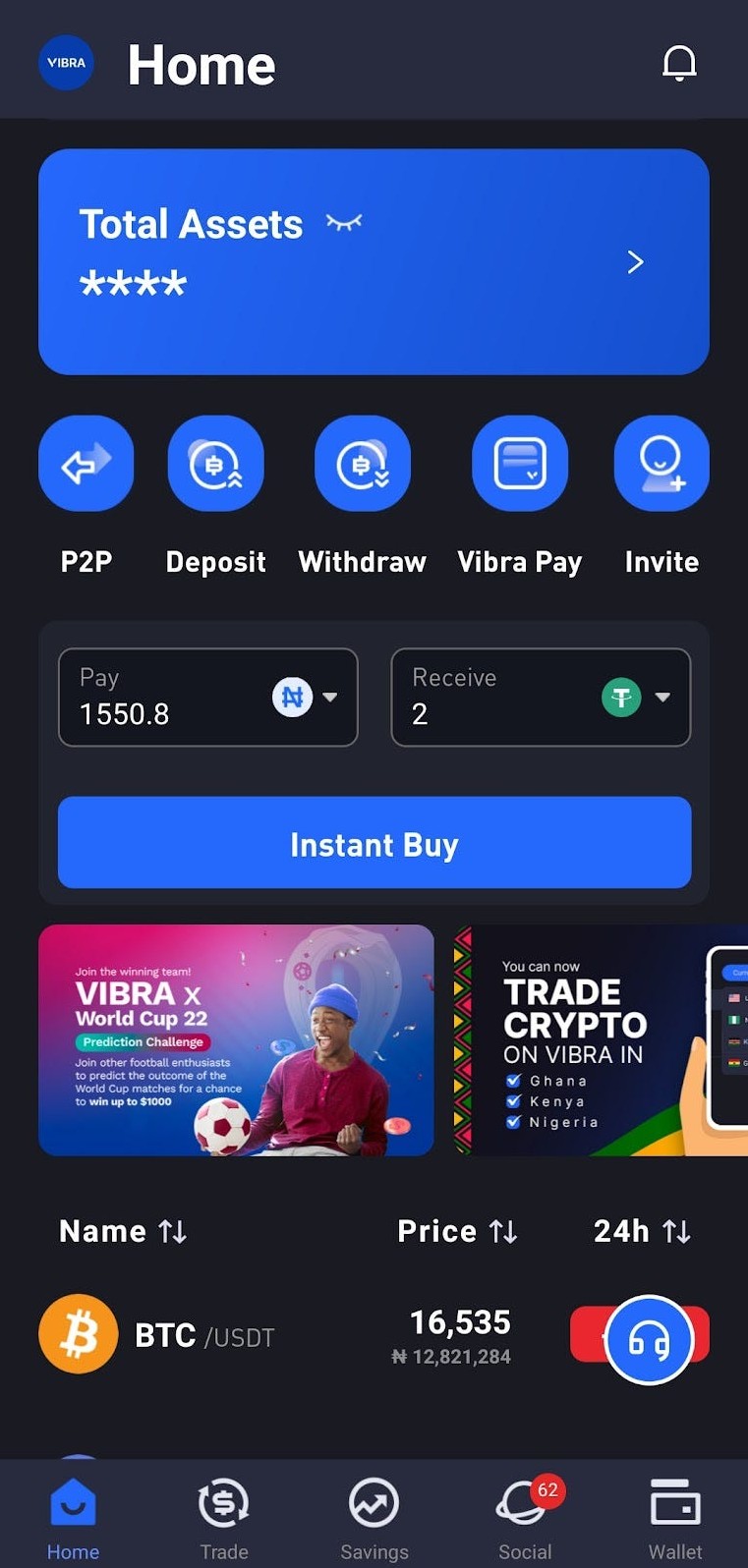
VIBRA auto-provisions custodial wallets at signup - good for hands-off users. These show the range of the best beginner crypto wallet space. A crypto vault feature like Zypto’s VKC gives hardware-grade cold storage in a card. Pick based on fiat ramps or flexibility.
Other wallet choices
- P100 merges Euro account with self-custody MPC wallet.
- Zypto includes DeFi, cards, Vault Key Card cold storage.
- Cwallet switches custodial/non-custodial with one tap.
- VIBRA gives automatic custodial wallets at signup.
Mistakes To Skip
Newcomers fall into simple traps. Treating crypto like a bank account? Wrong - no hotline for lost passwords. Skipping basic security settings? Error. Turn on 2FA or biometric lock in two minutes. Jumping into risky tokens or random DeFi sites drains you fast.
Common pitfalls
- Think wallet is a bank with support desk.
- Skip 2FA, biometric, device lockout setup.
- Chase unknown tokens on random sites.
- Over-use in-app swaps without checking rates.
Test recovery options before you need them - not after.
Crypto Casey 2025 edition with Uphold
After You Set Up
You chose one of the best beginner crypto wallet options. Now send a test transaction - small, like $10 equivalent - to learn confirmations. Bookmark official pages to avoid phishing. Read one wallet team blog post per week to build confidence.
First steps post setup
- Send a small test transaction in or out.
- Bookmark real support and download pages.
- Read regular tips from wallet blogs weekly.
- Set personal rule: max $100 on hot wallet.
Step-By-Step Setup
Setting up a wallet isn’t hard if you follow steps. Choose type: mobile hot for daily, hardware cold for large hold, hybrid. Download official app from Apple App Store, Google Play, or maker site. Avoid third-party stores. Create new wallet, record seed phrase on paper, offline.
Setup overview
- Choose wallet type based on use and amount.
- Download official app from trusted store.
- Create wallet, write seed phrase offline.
- Enable security like biometric and 2FA.
- Add funds via Receive, copy public address.
- Test small transaction, confirm on chain.
- Bookmark official resources for later.
- Stay informed via blog or newsletter.
Never type your seed phrase into any online document. Ever.
Security Habits
Backup seed phrase in multiple secure spots - safe deposit box, encrypted offline drive. Use hardware wallets for large amounts ($500–$1,000+). Enable 2FA with authenticator app over SMS when possible. Be wary of phishing, verify URLs before entering info.
Security best practices
- Backup seed phrase in separate secure locations.
- Use hardware wallet for large crypto sums.
- Turn on 2FA with authenticator, not SMS.
- Keep wallet app and firmware updated.
Limit daily spending with a personal cap to reduce exposure if device compromised.
Sending Crypto Right
Moving coins? Double-check address via copy-paste or QR scan, verify first/last chars. Confirm network matches destination. BTC to Bitcoin network, ETH/ERC20 to Ethereum, BNB/BEP20 to BSC, TRON/TRC20 to TRON. The crypto wallet address must match chain or funds vanish.
Network match rules
- BTC to Bitcoin network address only.
- ETH and ERC20 tokens to Ethereum address.
- BNB and BEP20 use BSC network.
- TRON and TRC20 assets via TRON network.
Always verify first and last few characters of a pasted address.
New Wallet Trends
Wallet tech keeps changing to help beginners. MPC wallets like Zengo remove single seed phrase by distributing trust across servers. Account abstraction simplifies signing while keeping self-custody. Integrated fiat on-ramp blends bank accounts with instant crypto swaps.
Trends to watch
- MPC wallets kill the seed phrase burden.
- Account abstraction eases transaction signing.
- Integrated fiat on-ramp mixes euro and crypto.
- Enhanced self-custody UI for non-tech users.
Modern non-custodial wallets focus on friendly interfaces without sacrificing control.
Questions To Pick Your Wallet
To find your best beginner crypto wallet , answer plain questions. How much crypto at first? Under $200 can stay on hot mobile, larger benefits from hardware cold. Need instant buy/sell? CoinRabbit, P100, Trust embed exchanges.
You might ask what a crypto wallet costs ; many mobile apps free, hardware cheap to premium. Some search for crypto wallet for under 18 but app rules vary and the source didn't cover age limits, so check each provider. I saw a moon wallet crypto ad once, but stick to known names from this list for safety.
Pick based on needs
- Amount held initially guides hot vs cold choice.
- Need instant fiat convert points to embedded exchange.
- NFT or DeFi use favors Trust or MetaMask.
- Dislike seed phrases points to Zengo MPC model.
Keeping Your Crypto Safe Long Term
The best beginner crypto wallet is only as good as your habits. The crypto basics : self-education and disciplined security matter most. Start small, test transactions, keep seed phrase safe, slowly explore advanced features as you gain confidence.
This guide is informational only. Crypto carries high risk. Never invest more than you can afford to lose.
Hope my notes help you get set up without the noise. Pick a wallet that feels simple, check fees upfront, stay skeptical of random links. That’s the whole game for a regular person stepping into crypto. Life is so rich,



Comments on “Picking the Best Beginner Crypto Wallet Without the Crypto Bro Hype”
No comments yet. Be the first to share your thoughts.