How Crypto Hardware Wallets Keep Your Digital Assets Safe and Sound
What Is a Crypto Hardware Wallet
A hardware cryptocurrency wallets is a small physical device that generates and stores your private keys away from any internet connection. It looks like a USB stick but does a lot more: it signs transactions internally so the secret never touches a computer or phone. The actual coins stay on the blockchain; the wallet just holds the keys that let you move them.

BBC breaks down hardware wallet basics
How It Keeps Keys Offline
The key never leaves the device. When you want to send funds, the companion app builds an unsigned transaction and sends it to the hardware wallet. The wallet shows the details on its own screen, you confirm with a button press or PIN, and it signs inside a secure chip. The signed transaction goes back to the app, which broadcasts it. At no point does the private key travel over USB, Bluetooth, or any network.
Hot vs Cold vs Warm Wallets
Hot wallets live on phones or computers and stay online all the time. They’re fast and free but expose keys to malware, phishing, and bad extensions. Cold wallets keep keys offline; a hardware wallet is the most common form. Warm wallets sit in between - they stay online but require a human to approve each move, often with a second factor like a time‑based code.
Quick comparison
- Hot: always connected, easy for daily spending
- Cold: keys offline, best for long‑term holdings
- Warm: online but needs manual approval for each tx
Paper and Metal Wallets
Paper wallets print a paper wallet private key or seed phrase on paper. Metal versions engrave the same data on steel. They’re truly offline, but you must type the key into a computer to spend, which re‑exposes it. They can be lost, burned, or damaged, and there’s no built‑in screen to verify a transaction.
Core Parts Inside a Hardware Wallet
Every device has three basics: a secure chip, firmware built for key handling, and an interface to talk to blockchain apps. The chip (often a secure element) generates keys, stores them, and signs without ever letting them out. The firmware manages the signing flow and can be updated. The interface can be a tiny screen, buttons, a companion mobile app, or QR‑code scanning.
Main components
- Secure element chip
- Purpose‑built firmware
- Screen, buttons, or QR interface
Do you actually need a cold wallet?
Seed Phrases and HD Wallets
Most hardware wallets use a 12‑ or 24‑word seed phrase that follows BIP‑39. That phrase is the master backup - anyone with it can recreate every address and key the device ever made. HD (hierarchical deterministic) derivation lets one seed spawn countless addresses across many chains, so you only back up once. The same seed can be imported into another compatible hardware crypto wallet if the original breaks.
Multisignature Setups
Multisig splits control across several keys or devices. A 2‑of‑3 scheme needs two signatures from three possible signers. This reduces the risk of a single lost or stolen key and works well for families, teams, or DAOs. The trade‑off is more coordination and a slightly more complex setup.
Multisig benefits
- No single point of failure
- Shared control for groups
- Keys can be on different devices or brands
How a Transaction Gets Signed
You plug the wallet in, open the app, pick the asset, amount, and destination. The app sends an unsigned intent to the device. The device shows the full details - address, amount, network, contract data - and waits for you to confirm on the hardware. It signs with the private key inside the chip, returns the signature, and the app broadcasts. The key never leaves the device.
A Brief History
Paper wallets came first, but spending required moving keys online. Trezor launched the first mass‑market hardware wallet in 2014, followed by Ledger later that year. KeepKey arrived in 2015. Since then the changes have been iterative: bigger screens, Bluetooth, QR codes, more coin support. Samsung even built a Knox‑based wallet into the Galaxy S10. The core idea - isolate the key - hasn’t changed.
Picking the Right Device
Look at the security architecture first: does it use a secure element? Is the firmware open source or audited? Can you verify the device’s integrity? Then check coin support - make sure it handles every chain you use, including ERC‑20 tokens or layer‑2 networks. Compatibility with your phone, computer, and favorite apps matters too. And don’t ignore the screen size; you need to read the full transaction before you approve.
Selection checklist
- Secure element or equivalent isolation
- Open‑source or independently audited firmware
- Supports all assets you hold
- Works on your OS and with your apps
- Clear, readable screen for verification
Ten Rules for Safe Use
A security review commissioned by the Web3 Foundation boiled safe hardware‑wallet practice down to ten rules. They cover buying, initializing, backing up, verifying software, and even using a dedicated clean computer for signing. The gist: treat the device as one piece of a process, not a magic shield.
Core safety rules
- Buy new, directly from the maker
- Never accept a pre‑initialized device
- Generate the seed on the device yourself
- Test the seed on a spare device, then wipe it
- Store the seed away from the hardware
- Use reproducible, code‑signed companion software
- Consider a dedicated, offline workstation
- Use multisig for large balances
- Verify multisig addresses independently
- Keep firmware updated through official channels
Top 5 hardware wallets for 2025 ranked
Common Trade‑offs
You pay for the device, you spend time learning it, and you carry it around. Physical loss or damage is a risk, and a seed stored next to the device defeats the whole point. Counterfeit units exist, so the supply chain matters. No wallet supports every coin, and the host computer can still feed you a malicious transaction that you sign blindly. As one review put it, you usually get two of three: security, low cost, or convenience.
Mixing Hot and Cold Wallets
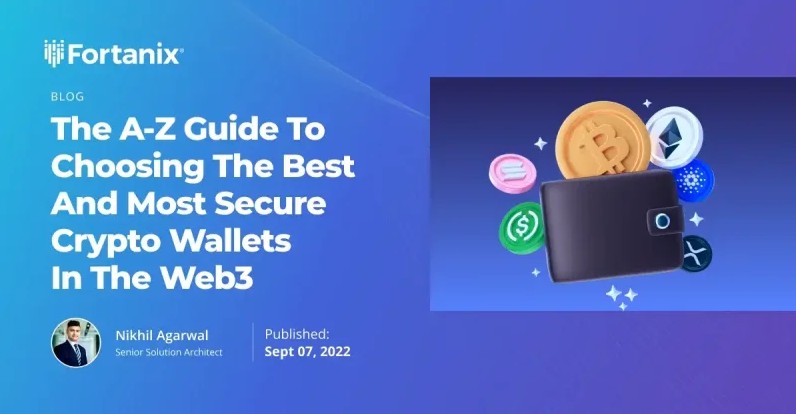
A practical pattern: keep a small hot wallet on your phone for everyday spends, and park the bulk in a cold storage crypto hardware wallet. If you need to trade often, move only what you need to the hot side. This limits the amount exposed to online threats while still letting you act fast when you want to.
Not your keys, not your coins.
Security is a process, not a product.
The device is one component of a process that also includes purchasing, initialization, seed storage, software verification, firmware maintenance, transaction review, and physical security.
If you’re serious about holding any meaningful amount, a cryptocurrency storage device that keeps keys offline is the single biggest step you can take. It won’t fix bad passwords or phishing on its own, but it removes the biggest attack surface - the private key sitting on an internet‑connected machine. Do the homework, buy clean, back up the seed, and verify every transaction on the device screen. That’s the whole game.
best cold wallet for cryptocurrency cryptocurrency hard wallets cold wallet apps for crypto cold wallet ripple mobile cold storage trailers for sale



Comments on “How Crypto Hardware Wallets Keep Your Digital Assets Safe and Sound”
No comments yet. Be the first to share your thoughts.